Adding, Editing, and Deleting Admin Objects
Admin tables allow users to add, edit, or delete objects from Nakisa Portfolio Management Suite.
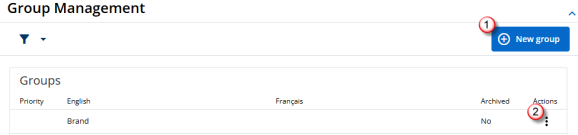
- Click
 to add an object to an admin table.
 - Click
 to view the options for an object. From this menu, users can add, edit or delete objects, depending on the table.
Note: If is not visible next to an object in an admin table, it means the object is set in the system and cannot be modified.
When an admin object is deleted or archived, any pre-existing locations, premises, or contracts actively using the archived admin object will continue to display it, but users will be unable to select it in the future. Admin objects that are archived remain visible in admin tables, and can be unarchived if needed. Deleted options are permanently removed from admin tables.
Note: Countries, provinces/states, and cities cannot be deleted while in use by another application object.

|
Nakisa Portfolio Management Suite 2024.R3 © 2024
|
Nakisa Inc. All rights reserved worldwide. |