Mass Docs
The mass docs import allows users to import multiple documents related to multiple application objects at once. Documents are uploaded in a zip file with an Excel file that links these documents to their respective objects.
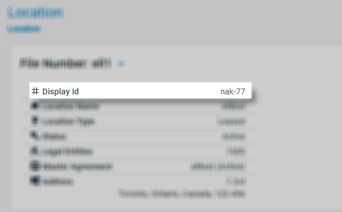
The Excel file points to documents using a relative path. This path must be contained within the zip file and cannot point to documents outside of it. The relative path points to Nakisa Capital Projects Suite entities using entity IDs. These IDs can be found on their pages in the application:
To import mass docs:
- Download the Mass Docs template.
- Unzip the template and fill out the required fields in the Excel sheet.
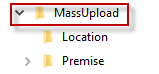
- In the locations and premises folders, paste your documents. If you want to upload documents to other application entities, you can create folders as long as the relative path is correct in the Excel file.
- Navigate up to the MassUpload folder and compress it.
- Upload the new zip file in Nakisa Capital Projects Suite and begin the import process.
Successfully uploaded documents will appear under the Documents tab for locations, premises, and leases, or other fields that may require documents such as lease incentives.

|
Nakisa Capital Projects Suite 2025.R2 © 2025
|
Nakisa Inc. All rights reserved worldwide. |