Create a Headcount Plan
This topic describes how to create a headcount plan and assign a sub plan to a manager.
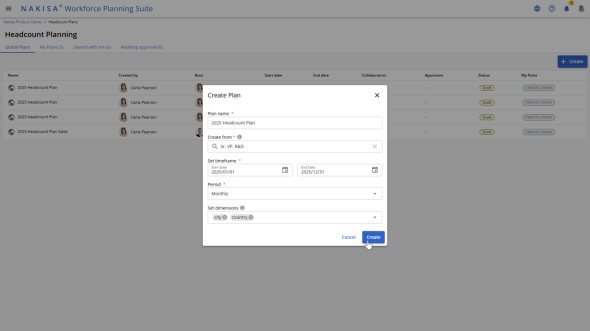
To create a new headcount plan:
- From the Plans page, click Create.
- In the pop-up, complete the following fields:
- Plan Name
- Planning Year (e.g., 2025)
- Any additional required fields such as Plan Description or Business Unit.
- Select the Period to create the headcount plan on an interval. You can create a monthly plan, or quarterly. The planning tab reflects the selected interval.
- Click Create.
Once the headcount plan is created, you can assign a sub plan to a manager.

|
Nakisa Workforce Planning Portfolio 2025.R2 © 2025 |
Nakisa Inc. All rights reserved worldwide. |