Planning and Adding Jobs
After you create a headcount plan or sub plan, you can go to the Planning tab to view the existing jobs in the organization and add new ones.
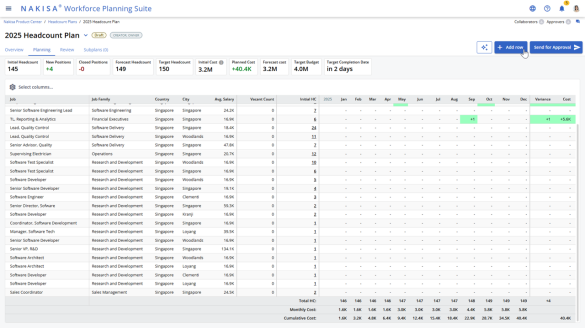
To begin planning:
- Navigate to the Planning tab. The planning tab reflects whether the headcount plan is monthly or quarterly.
- Review the list of existing jobs in the organization.
- If a required job is not listed in the Planning tab, you can add the job:
- Click Add Row.
- In the new row, complete the required fields:
- Job Title (e.g., Senior Design Engineer)
- Location
- Salary
- Click Create. The new job appears in the planning list and is now included in the headcount plan.
Once planning is complete, you can add a designated approver and send the plan for approval. The approver receives a notification to review and approve the submitted plan.

|
Nakisa Workforce Planning Portfolio 2025.R2 © 2025 |
Nakisa Inc. All rights reserved worldwide. |