Assets
Nakisa Facilities Management Suite allows you to record and track your assets. Assets can then be linked to work orders and work order schedules.
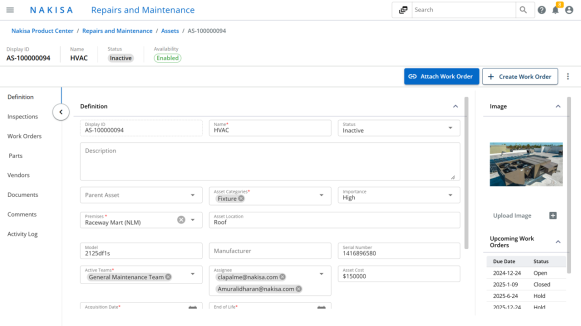
To create an asset:
- Click Main Menu > My Assets.
- Click Create.
- You can create a new asset, or you can link an existing asset from Nakisa Lease Accounting Suite.
- To create a new asset:
- Select Create from blank.
- Enter a Name for the asset.
- Select an Asset Category.
- Enter the Acquisition Date.
- Click Create.
- To link to an existing asset:
- Select Link to existing NLA asset.
- Select the System.
- Select the Company.
- Select the desired Asset.
- Click Create.
Once an asset is created, you must fill in the required details before you can set the status. Assets can then be linked to work orders and inspections.

|
Nakisa Facilities Management Suite 2025.R2 © 2025
|
Nakisa Inc. All rights reserved worldwide. |