Navigation Panel
You can use the Navigation Panel to navigate between the different tables and areas in the Configuration section. The panel only displays data for tables under a single system (selected in the ERP System drop-down). Note that the Nakisa Master Data tables are the exception to this because the tables are application-wide (and are not specific to a system).
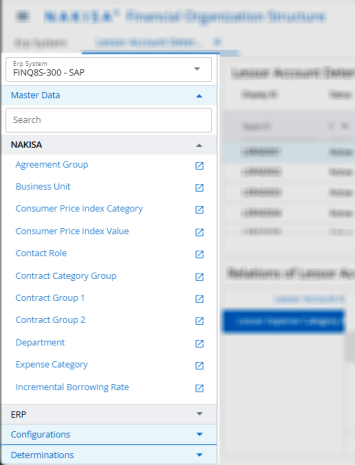
To use the Navigation Panel:
- Click Main Menu
 > System Configuration.
 - Select the required system in the ERP System drop-down.
- Click on the section or sub-section headers to view the expanded menu items below.
- Use the search bar to find specific tables.
- Clicking on a table header opens the table on the right of the screen.
- Click the
 icon to open the table in new application tab.

|
Financial Organization Structure 2025.R3 © 2025
|
Nakisa Inc. All rights reserved worldwide. |