Delete Event Drafts
If you no longer require a draft (that created through an event), you can easily delete it.
To delete an event:
- Click on the left of the header and hover over the draft:
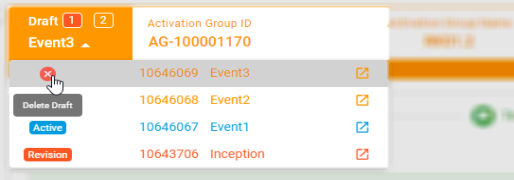
- The Delete Draft option appears. Click
 and confirm the deletion.
See the following topics for more information:

|
Nakisa Lease Accounting Suite 2025.R3 © 2025
|
Nakisa Inc. All rights reserved worldwide. |