Custom View
When selecting which options and views you want to see in your org chart, you can save a personalized custom view. When a user creates a custom view, it is only for that user. The ability to save a custom view is granted by an admin through the Admin section.
To Save a Custom View:
- Open the Chart Options.
- Select your desired view and/or node options to display.
- Click Save As, give your custom view a name and click Save.
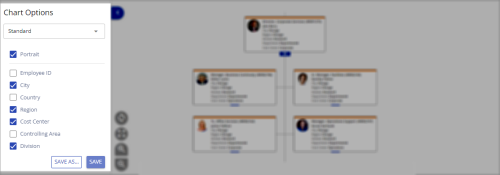
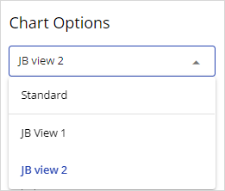
Your custom views are saved to the view dropdown menu in the Chart Options.
Every time you log into Nakisa Org Chart, the Org Chart view reverts to the default view.
Note: A custom view can be set as a default view by an admin through the Admin section.
To switch between views, open the Chart Options and select the view from the dropdown menu.

|
Nakisa Workforce Planning Portfolio 2025.R3 © 2025 |
Nakisa Inc. All rights reserved worldwide. |