Work Order Schedules
Work order schedules allow you to create recurring work orders for assets that require regular maintenance.
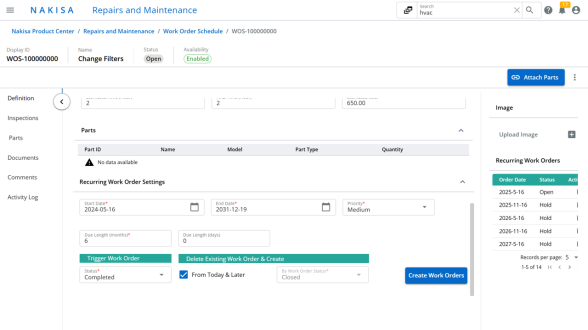
To create work order schedules:
- Click Main Menu > Directories > Work Order Schedule.
- Click Create.
- In the creation window:
- Enter a Name.
- Select the Main Asset.
- Click Create.
- In the Definition page:
- Enter the Work Order information.
- Define the duration of the schedule.
- Set the frequency of each work order.
- Click Create Work Orders.
The work order schedule is now generated and ready to manage recurring maintenance tasks.

|
Nakisa Facilities Management Suite 2025.R3 © 2025
|
Nakisa Inc. All rights reserved worldwide. |