Dragging and Dropping Tabs
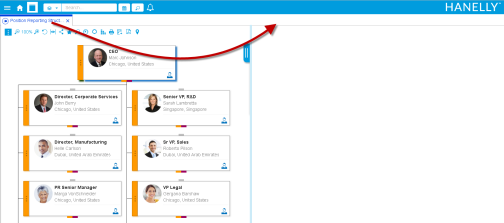
In a two-pane view, you can move tabs between panes.
To drag and drop a tab:
- Click a tab heading to activate the tab.
- Place the cursor over the tab heading and then drag it to a new location.
- Release the mouse to drop the tab in the new pane.

|
Nakisa HR Suite 2022.R2 © 2022
|
Nakisa Inc. All rights reserved worldwide. |