Using Indexed Currencies
When you set up lessee contracts to use indexed currencies, the information used for determining classification, the financial schedules, and postings are in the company currency instead of the contract currency. Charges also have to be entered in company currency. You can also choose whether you would like to enter asset values in contract currency or company currency.
After activating the activation groups, use indexation events to regularly update the financial schedules based on the latest conversion rate.
For example, if a user wants to set up a contract using UF/CLP currencies for Chile, they would use UF as the contract currency, and create the contract in a company where the company currency was set up as CLP. They would then use an indexation event every month to update the CLP values for that month's postings.
To set up the contract and activation group to use an indexed currency:
- On the Contract Definition tab, set the following fields in the Indexed Currency section:
- Select the Consider Currency as Indexed Currency checkbox.
- In the Asset Value Currency Type, select whether you want to enter asset field values (i.e., for FMV, GRV, and carryover balance fields) in contract currency or company currency.
Note: These fields may already be set by default, based on your default field values configuration.
- In the lease component, enter the terms and conditions in the contract currency..
- Once you reach the activation group:
- In the Financing Terms section on the Accounting tab, configure the CPI information:
- Set CPI to "CPI Global". Note that CPI Local is not available when using indexed currencies.
- Select the CPI Category that was configured to index the currency.
- Select the Reference Date that is used to look up the Current Index Level. Note that if you set the Reference Date to be before the ROU Start Date, an indexation event occurs immediately when you activate the activation group.
- On the Terms & Conditions tab, make sure that the exercised terms are indexed. This automatically selects the Apply Indexation checkbox in the term.
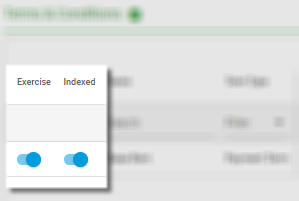
- In the Financing Terms section on the Accounting tab, configure the CPI information:
As a result of this configuration, the activation group operates in company currency:
- Values on the Classification tab are in company currency. Note that if you entered asset values in contract currency, the values are only converted to company currency after you generate the financial schedules.
- Values in the financial schedules are in company currency.
- Postings are in company currency, as well as any group currency configured.
- Charges are entered in company currency.

|
Nakisa Lease Accounting Suite 2026.R1 © 2026
|
Nakisa Inc. All rights reserved worldwide. |