Using the Interface
This section identifies the key elements of the application interface. Depending on your level of access, you may not have access to all the features described in this section.
The interface is made up of four persistent features
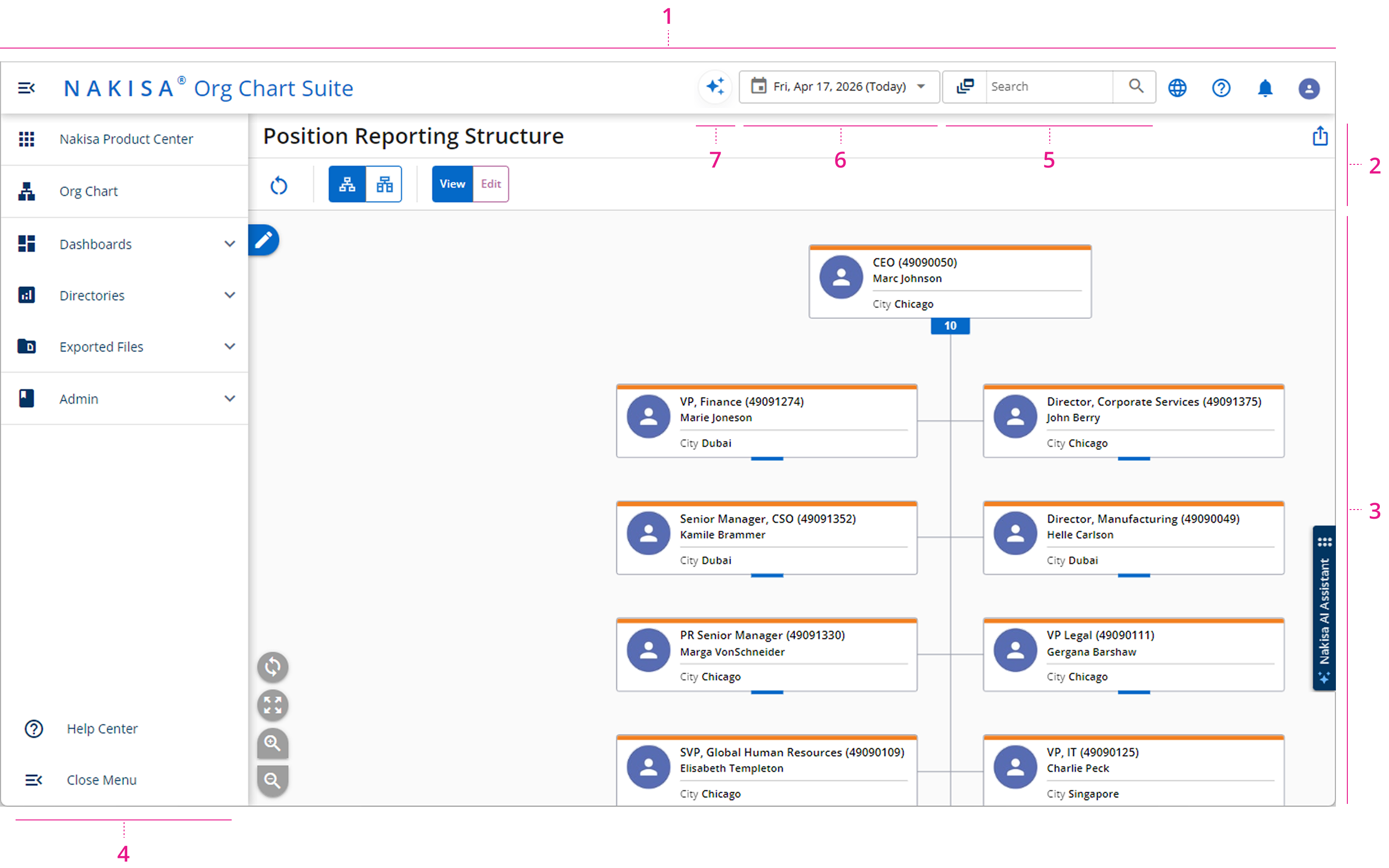
- Suite Header
- Page Header
- Frame
- Click the Nakisa AI Assistant to open the chat and ask any question about product features and how to use them. If required, you can resize the chat box or move it to any location on your screen.
- Main Menu
- Search
- Effective Dates
- Nakisa Decision Intelligence for Nakisa Org Chart
You can interact with each of these features to visualize, customize and filter your company information.

|
|
Nakisa Inc. All rights reserved worldwide. |