Work Orders
Nakisa Facilities Management allows you to create and manage work orders for your assets and premises. You can also manage work orders on your mobile device. Work orders can be created from scratch or with a work order template.
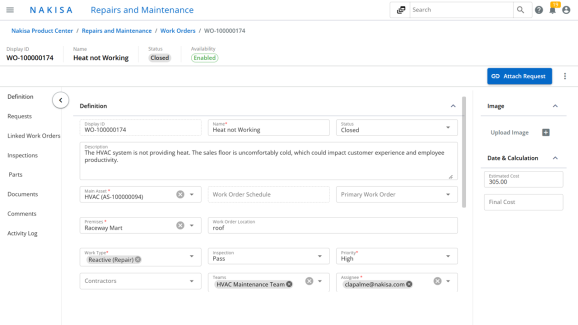
To create a work order:
- Click Main Menu > My Work Orders.
- Click Create.
- In the work order creation window:
- Optionally select a Work Order Template.
- Enter a Name.
- Specify the Order Date.
- Set the Work Order Status.
- Select a Work Type. The corresponding SLA is automatically applied.
- Set the Priority.
- Assign the Main Asset.
- Click Create.
The work order is now available. You can edit details and assign the order to a technician, vendor, or contractor.

|
Nakisa Facilities Management 2026.R1 © 2026
|
Nakisa Inc. All rights reserved worldwide. |