Viewing the Schedules
Users can view the financial schedules for the contracts to which they have access. You can also view information on transaction and event postings. The financial schedules are generated per unit, but can also be aggregated at the activation group level to provide a summary of all the units.
In the Reporting section, the Period Start Date and Period End Dates indicate the start and end of the period based on the Fiscal Year selected for the contract.
Note: If the contract is set up to use indexed currencies, the financial schedules are displayed in company currency instead of contract currency.
To view the financial schedules:
- Open the required activation group.
- In the Schedules section of the Navigation Panel, select the required schedules classification:
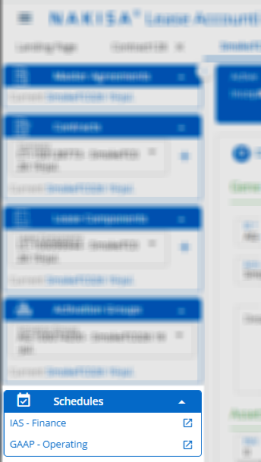
Note: Hover over the warning icon to view any schedule generation warnings.
- The financial schedules are generated per unit. To view the schedules for a different unit, select the required unit in the Unit drop-down at the top right of the page.
- From the drop down menu at the top of the page, select the type of schedule you would like to view:
- For lessee contracts:
- All Columns Schedule
- Liability Schedule
- Payment Schedule
- Asset Transition Schedule: Use this schedule to view the asset depreciation calculated by the application, displayed in company currency.
- Finance leases: The application shows the straight line depreciation of the asset, and it is only for informational purposes.
- ASC 842 Operating leases: The application calculates the asset depreciation based on the calculated interest amounts and the average rent amounts. The asset depreciation documents must be posted at the end of every month.
- Migration Schedule: Displays transactions that were posted in another system that have been migrated into Nakisa Lease Accounting Suite (along with the related contract, lease component, and activation group). Note that this view is not available if there are no migrated transactions.
- For lessee contracts set up for Provisioning under the main accounting standard:
- Provision Payment Schedule
- Provision Schedule
- For lessor contracts:
- Operating Lease Schedule
- Payment Schedule
- For lessee contracts:
- The first year of the schedules is automatically displayed in the Calendar Year drop-down. To view the schedules in a different year select the required calendar year in the drop-down or select a range of years to view from the Range drop-down. If required, users can also select the All Years checkbox in the drop-down to view the schedules for all years.
- By default, the amounts in the financial schedules are displayed per unit. To view the amounts per activation group instead, change the Aggregation Level drop-down.
- To view journal entries for events (including inception), open the All Columns Schedule and click
 in the Events column for the required period (if available).
- You can view the journal entries for different accounting standards or units by either clicking the accounting standard tab name or selecting the required unit in the Unit drop-down.
- If there are multiple posting documents in the period, you can navigate between them by clicking the document tab name.
- To export the current view of schedules as an Excel file, click Export and select the From Year and To Year range. Click Export to generate the Excel file. The file is exported for the Aggregation Level currently selected.
- To view the schedules in full screen mode, click
 .
.

|
Nakisa Lease Accounting Suite 2025.R2 © 2025
|
Nakisa Inc. All rights reserved worldwide. |