Org Chart Toolbar
The org chart toolbar lets you select the modes you want to view and work with your HR data.
From the toolbar, you can select the following modes:
- Org chart view mode - The org chart view mode lets you select how much information you want to see in your org chart and how many nodes are visible. There are two display modes:
- Standard Org Chart
 : Standard chart mode is the default org chart mode. This mode gives each employee or position its own node than can be viewed when expanded in the org chart. You can select each individual node to open the Quick Details info panel to get more information on the employee or position.
 - Summary Org Chart
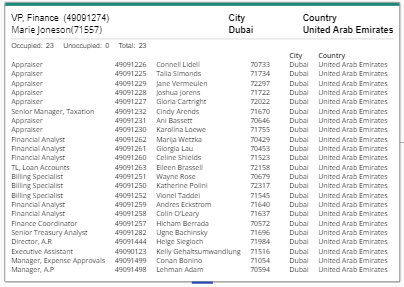
 : Summary mode compresses the org chart and only lists nodes of managers. Within these nodes lists the information about the positions and employees who report to this manager. You cannot expand the org chart beyond a manager position.
Note: All the information that is displayed in either view mode is configurable using the Org Chart Options.
- Standard Org Chart
- Org Chart mode - The Org Chart mode lets you select which mode you want to work in.
- View mode - View mode is Nakisa Org Chart. This will display your Org Chart and your HR data. While in the View mode you can switch between the org chart view modes as well.
- Edit mode - Edit mode will open Nakisa Operational Org Design. This mode allows you to create and collaborate on proposed changes to the org chart.See the Operational OrgDesign section for more information.
- Reset chart
 : Returns the chart to the default view and removes all Org Chart Options that have been applied using the filter panel.

|
Nakisa Workforce Planning Portfolio 2025.R3 © 2025 |
Nakisa Inc. All rights reserved worldwide. |