Quick Details
Click a node in an org chart or a record from a directory to open the Quick Details info panel. The Quick Details lists some key basic details about the node/record you select as well as access to the details page. The information that can be seen in the Quick Details panel and details page depends on the type of access each user has.
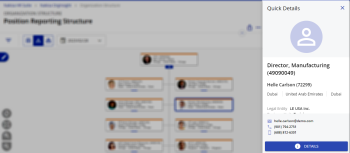
To access the full details page click Details in the quick details.
If there is something to note about the position or employee, an alert message appears in the quick details. For example, if a position is vacant, the alert message notes the vacancy and the number of days of the vacancy.
The information that is displayed in the Quick Details info panel varies depending on if you select a Position or Employee node/record, or an Org Unit node.
Note: You can also access the full details page through the Context Menu.
Position Quick Details
When viewing the Quick Details info panel for a Position node, the following information is shown:
- Employee portrait
- Position name and ID number
- Employee name and ID number
- The manager portrait, position and name
- Position location details
- Employee contact information
A position can have multiple incumbents that occupy the role. When viewing the Quick Details of a position with multiple incumbents the employee name and ID will be removed with all the Position information remaining. To view more information about the incumbents, view the full details.
Employee Quick Details
When viewing the Quick Details info panel for an Employee record, the following information is shown:
- Employee portrait
- Employee name and ID number
- Position name and ID number
- The manager portrait, position and name
- Position location details
- Employee contact information
A employee can have multiple positions. When viewing the Quick Details of an employee with multiple positions, each position and its details will be listed in the panel. If the employee has no position, the position related fields are removed.
Org Unit Quick Details
When viewing the Quick Details info panel for an Org Unit node, the following information is shown:
- Org Unit name and ID number
- Org Unit manager information
Note: If the org unit does not have a chief position or does not have an incumbent in the chief position (i.e., the manager is missing) and if Manager Inheritance is enabled, hover over the inheritance icon
 next to the inherited manager’s name to view the source of the data or relationship.
 - Location information
- Or Unit company information

|
|
Nakisa Inc. All rights reserved worldwide. |